Premise

Commercial and residential buildings

Every request has a number, a timestamp, and an owner.

A tenant reports a leak from their phone and gets a reference. You see who it went to and how long it has been open. Nothing depends on who happened to answer the phone.

Free while we onboard our first buildings. Works in any browser today.

REQ-2481 · office 305 · open 4 hours
Scroll

One building, made legible

It starts as a plot and a promise.

Eight buildings, three hundred spaces, a hundred and forty tenant companies. All of it real, none of it written down anywhere two people can both see.

Floor by floor, it gets a shape.

Every space, every lease, every company that holds one. The register stops being a spreadsheet somebody keeps on their own laptop.

Then the people inside it.

Tenants sign themselves up and a manager confirms who belongs. Nobody chases a hundred and forty email addresses first.

And now you can see the leak.

Office 305 reported a leak four hours ago. It has a number, an owner, and a clock running. That is the whole product.

REQ-2481 · office 305 · open 4 hours

What it does

The parts of the job that break when they live in someone's head.

Every feature here exists because it produces a record. That is the whole product.

01

Maintenance

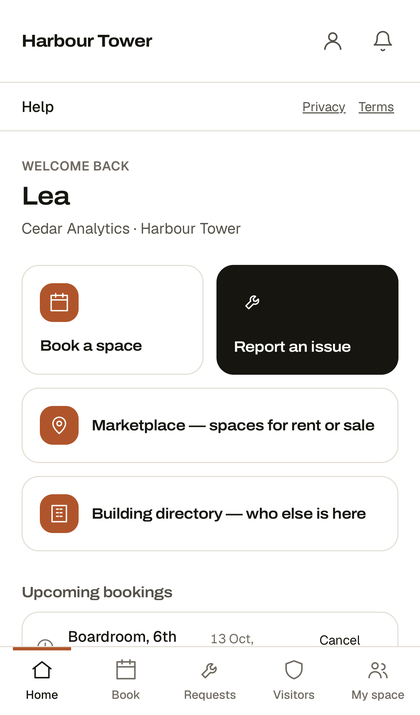
Tenants report from their phone. Each request gets a reference, a timestamp and an assignee, and shows how long it has been open. Reception can still log one on someone's behalf, and the record says so.

02

Room bookings

Meeting rooms booked by the tenant, with a monthly allowance per company so one tenant cannot take the week.

03

Visitor passes

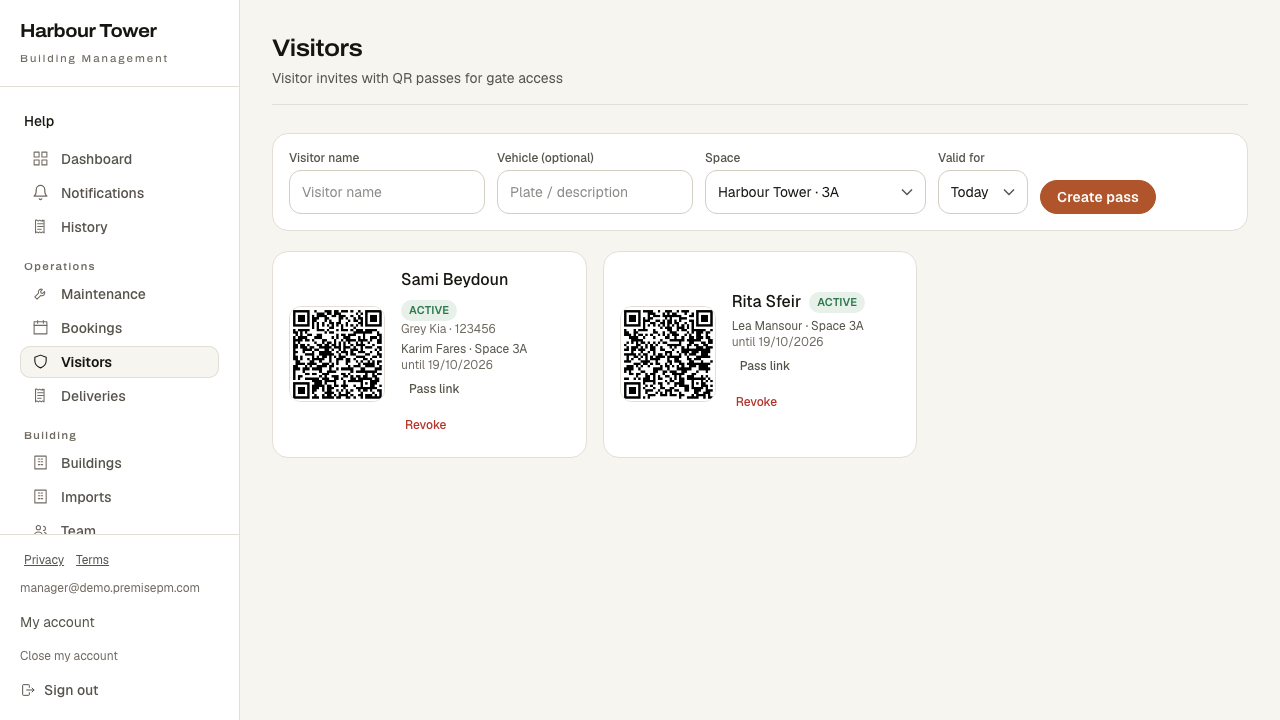
A tenant invites a guest and gets a QR pass. Reception scans it and sees a yes or a no, not a name on a list.

04

Documents

Leases, house rules, insurance certificates. Shared with one company or the whole building, visible only to the people they belong to.

05

Announcements and events

Reach every tenant in one action. Events collect replies, so you know who is coming.

06

Invoices and receipts

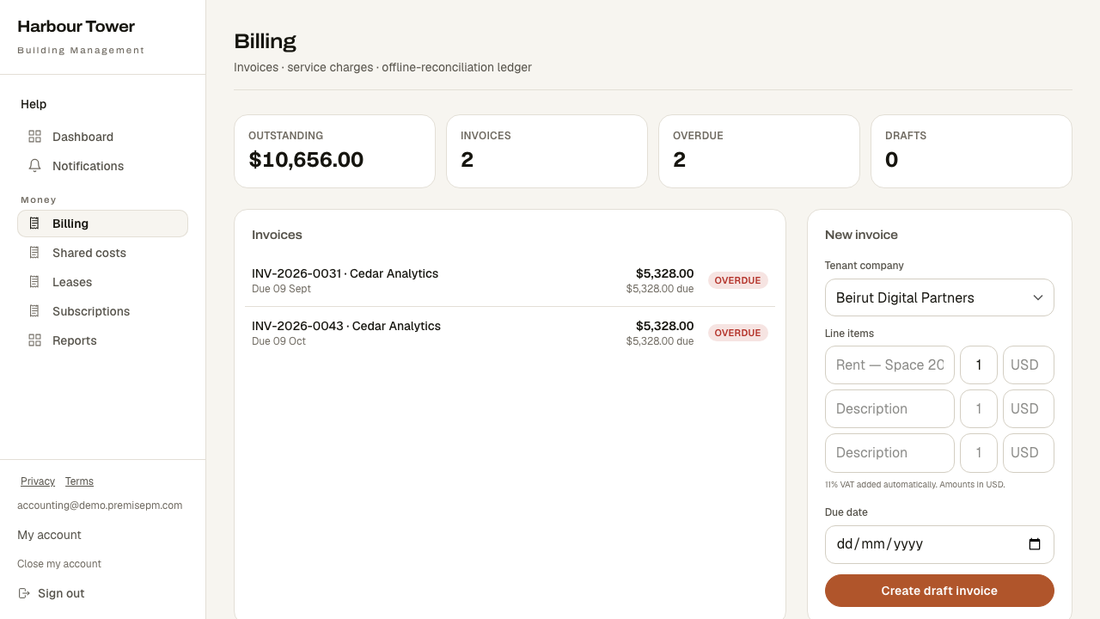
Issue an invoice, record a payment however it arrived, and the tenant gets a numbered receipt. Cash and bank transfers included, because that is how rent is actually paid here.

Shared costsSplit building expenses across tenants by floor area for a period. Each company sees how their share was worked out rather than a number to argue with.
Recurring chargesRent, service charge, parking. Set once and the invoices generate on schedule instead of being remembered.
DeliveriesReception logs a parcel and marks it collected. That record is the answer when someone says it never arrived.
Valet and parkingA tenant requests their car from their desk. The valet sees the queue in order.
Assets and vendorsThe lifts, the generators, the people who service them. Planned maintenance is scheduled and work is recorded against the equipment.
Insurance and leasesCertificates and lease dates in one place, with what is expiring visible before it lapses rather than after.
SurveysAsk the building a question and count the answers, instead of hearing from whoever came to the desk.
Notices and communityA board tenants can post on, and a notification bell that shows each person only what concerns them.
Space marketplaceList an empty office to the tenants you already have. The ones most likely to expand are already in the building.
ReportsWhat was invoiced, what is outstanding, how the maintenance queue moved. Per building or across the portfolio.

More than one building

One account. Every building, kept apart.

Switch building and the whole app follows. A tenant in one building never sees another building's data, and two companies in the same building never see each other's. That separation is enforced by the database itself rather than by hiding buttons, and eighty automated tests check it before any release ships.

Your name on itEach building carries its own name, logo and colour. Tenants see the building they rent from. Premise is the app it runs on.
Arabic and EnglishBuilt for both, including right-to-left layout, because half the people using it will not choose English.

Getting started

Four steps, and nobody collects email addresses first.

  1. Create your accountSign up with the email you already use. No invitation needed to get in the door.
  2. Say where you arePick your building, say whether you are a company, a resident or building staff, and choose your company from the list.
  3. The manager approves youThey see your request and confirm you belong. Until then you are in the app and can see nothing, which is the point.
  4. Start using itReport a fault, book a room, invite a visitor. Everything you do from then on leaves a record.

Apps

It already works on your phone.

Open Premise in your browser, then add it to your home screen. It opens full screen with its own icon and behaves like any other app. Nothing to install and nothing to update.

iPhoneOpen the site in Safari, tap Share, then Add to Home Screen.
AndroidOpen the site in Chrome, tap the menu, then Add to Home screen.

Both listings are in progress. The home screen version above is the same app, so nothing changes for anyone when they arrive.

Start

Put one building on it and see what a week looks like.

You do not need to move everything at once. Run one building for a week and compare it with how you know that week would otherwise have gone.