You are the front desk
Reception
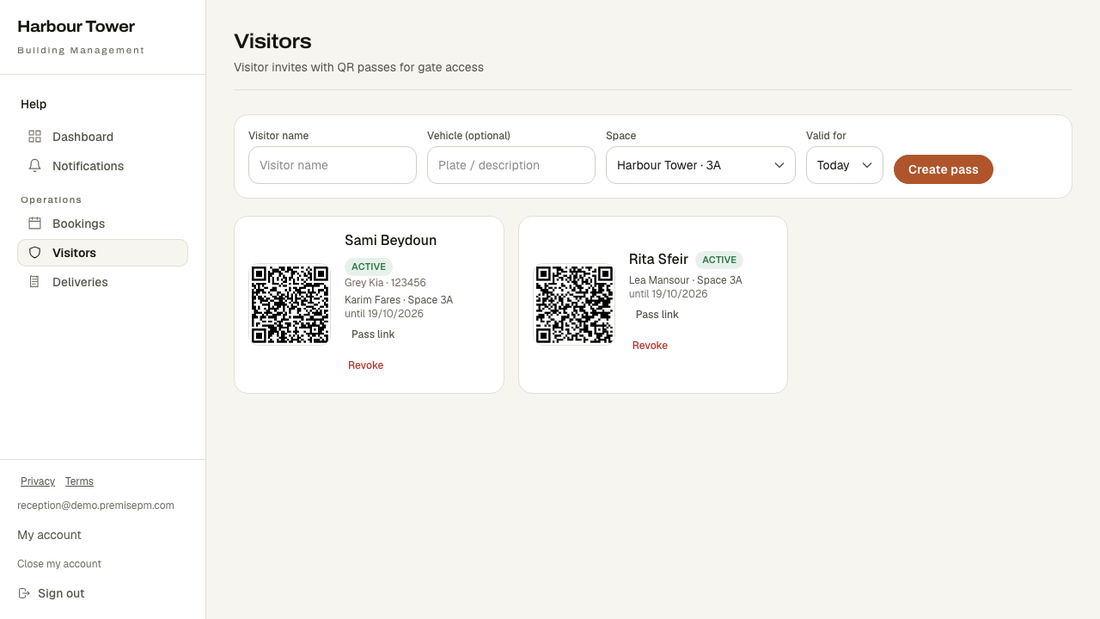
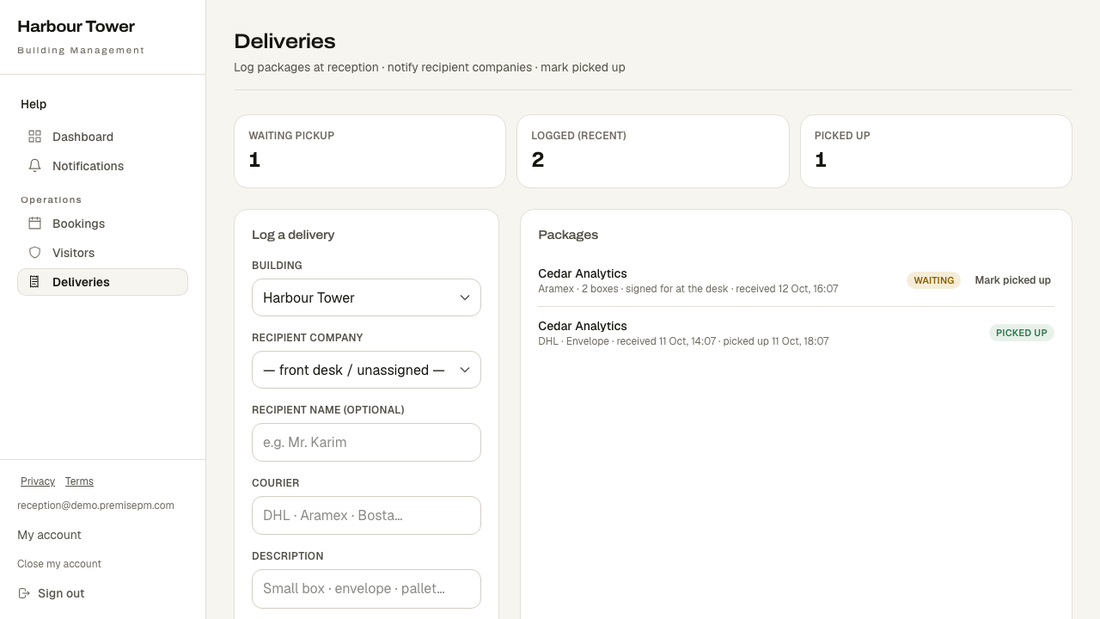
Who is expected, what was delivered, and which room is booked. The three things people walk up to the desk and ask about.
Getting in
The building manager creates your login. Most receptions keep it open on the desk all day.
What your screen looks like
These are real screens, photographed from the running product — not drawings.
What is on your menu
- DashboardGoes straight to Visitors — who is expected today is your first screen.
- NotificationsAnything that needs you.
- BookingsWhich room is taken, and by whom.
- VisitorsWho is expected, and a pass to check them in against.
- DeliveriesLog what arrives, mark it collected.
- Keys and lost propertyWho has which key, and what was found where.
- IncidentsSecurity, safety and damage, with what was done about each.
- Internal notesWhat staff need to remember about the building and each space.
- RegistersSee residents' vehicles and pets, look a plate up, and ask everyone a question on their profile.
- EventsEvents in the building.
- Redeem a voucherScan or type a tenant's voucher code at the counter and mark it used.
- MessagesTenants write to the building privately; managers, staff and reception answer, and can leave internal notes the tenant never sees.
What you cannot see
The tenant register, the maintenance queue, and anything financial. Confirming a name at the door does not require the list of who leases what.